PlacementStage
image with a dashed box · click, drag and resize · on_place / on_resize
An image with a dashed box that the user positions by click or drag and resizes by the corner handle.
Drag, click and resize
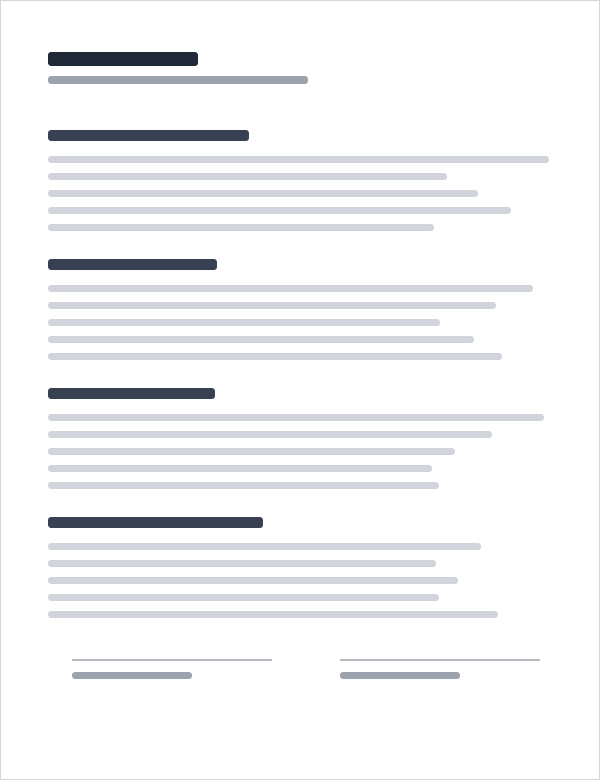
Clique na página para pôr a caixa, arraste e use a alça do canto. Com a caixa em foco, as setas movem 1% (Shift: 10%).
- left
- 10%
- bottom
- 14%
- width
- 30%
- último evento
- nenhum
<%!-- clique na página para pôr a caixa, arraste, redimensione pela alça; o servidor guarda o box (em % da imagem) --%>
<.live_component module={LedgerShowcaseWeb.Demos.PlacementDemo} id="ps-default" />
No handle (resizable={false})
Clique na página para pôr a caixa, arraste e use a alça do canto. Com a caixa em foco, as setas movem 1% (Shift: 10%).
- left
- 10%
- bottom
- 14%
- width
- 30%
- último evento
- nenhum
<%!-- resizable={false}: sem a alça, só posiciona --%>
<.live_component module={LedgerShowcaseWeb.Demos.PlacementDemo} id="ps-fixed" resizable={false} />
Disabled (disabled)
Clique na página para pôr a caixa, arraste e use a alça do canto. Com a caixa em foco, as setas movem 1% (Shift: 10%).
- left
- 10%
- bottom
- 14%
- width
- 30%
- último evento
- nenhum
<%!-- disabled: mostra a caixa e tira os gestos --%>
<.live_component module={LedgerShowcaseWeb.Demos.PlacementDemo} id="ps-disabled" disabled />
Usage
<.placement_stage id="pdf-stage" src={@image} alt="Página 1" box={%{left: 10, bottom: 14, width: 30, height: 7.7}}
  on_place="place_signature" on_resize="resize_signature">
  Assinatura
</.placement_stage>
Rules
boxis in % of the image:leftandbottom(from the left and bottom edges),widthandheight.on_placecarries the box center (xfrom the left andyfrom the top, 0 to 1);on_resizecarries the width (0 to 1).- The box moves at once, in the browser; the server is told at the end of the gesture and has the final word.
- The box is focusable: the arrows move 1% of the image (Shift, 10%).
API reference
Todos os function components, atributos, valores e slots que este componente cobre.
An image (a rendered PDF page, a photo) with a dashed box on it that the user positions by clicking or dragging, and resizes from a corner handle.
<.placement_stage
  id="pdf-stage"
  src={@image}
  alt="Page 1"
  box={%{left: 10, bottom: 20, width: 30, height: 8}}
  resizable
  on_place="place_signature"
  on_resize="resize_signature"
>
  Signature appears here
</.placement_stage>
The box
box is a map of percentages of the image: left (from the left edge), bottom (from the
bottom edge), width and height, which is how the CSS is written (left:10%;bottom:20%). A
nil box draws no box. The slot is the content of the box (a label, an icon).
Events
The LedgerUI.PlacementStage hook (priv/static/ledger_ui/hooks/placement_stage.js) moves the
box at once, in the browser (optimistic), limited to the edges of the image, and tells the
server at the end of the gesture (pointer up or click):
on_place,%{"x" => x, "y" => y}: the centre of the box, as fractions0..1of the image;xcounts from the left edge andyfrom the top edge. The centre is the one of the box as it is shown, already limited so the box stays inside the image.on_resize,%{"width" => w}: the new width, a fraction0..1of the image width. The handle keeps the centre and the proportions of the box (so the height follows), and the width is never less than 5% nor more than the image allows around the centre.
Event names are strings; phx-target (for a live component) is read from the component.
Pointer events cover mouse, pen and touch (touch-action: none on the stage, pointer capture).
Pressing the image puts the centre of the box under the pointer. The box is focusable: the arrow
keys move it by 1% of the image (Shift: 10%) and every key press pushes on_place. label is
its aria-label.
The server wins: a new box replaces what the browser shows, except in the middle of a gesture
(it is ignored until the pointer is released) and while an event of this component has not been
answered yet (an unchanged box does not undo a move that is on its way to the server).
resizable={false} removes the handle; disabled shows the box and takes away the gestures.
<.placement_stage>
| Attr | Type | Default | Values / notes |
|---|---|---|---|
id (required) |
:string |
||
src (required) |
:string |
||
alt |
:string |
"" |
|
box |
:map |
nil |
%{left, bottom, width, height}, in % of the image. |
resizable |
:boolean |
true |
|
disabled |
:boolean |
false |
|
on_place |
:string |
nil |
|
on_resize |
:string |
nil |
|
label |
:string |
"Placement box: arrow keys move it, Shift moves it by 10%" |
|
class |
:any |
nil |
Any other HTML/phx attribute goes to the root element, including phx-target.
Slots:
<:inner_block>